Device Registration
There are two ways to register your devices:
- You need to register your device mac-adress in the device registering portal. When first registered, no username or password needed to access the CampusLife wifi. This portal is personal, so only use it to register your own devices. The password needs to be changed at first login.
Link to portal: https://wifi.splash-access.com/accounts/campuslife/device/ - Log in to CampusLife wifi with your username and password when you arrive the campus. The first time it will take about 1 minute to register. The next time, youre automatically on without any more use of username/password. This can be done from all devices that has a captive portal, like mobile, pc, mac, most gaming consoles etc
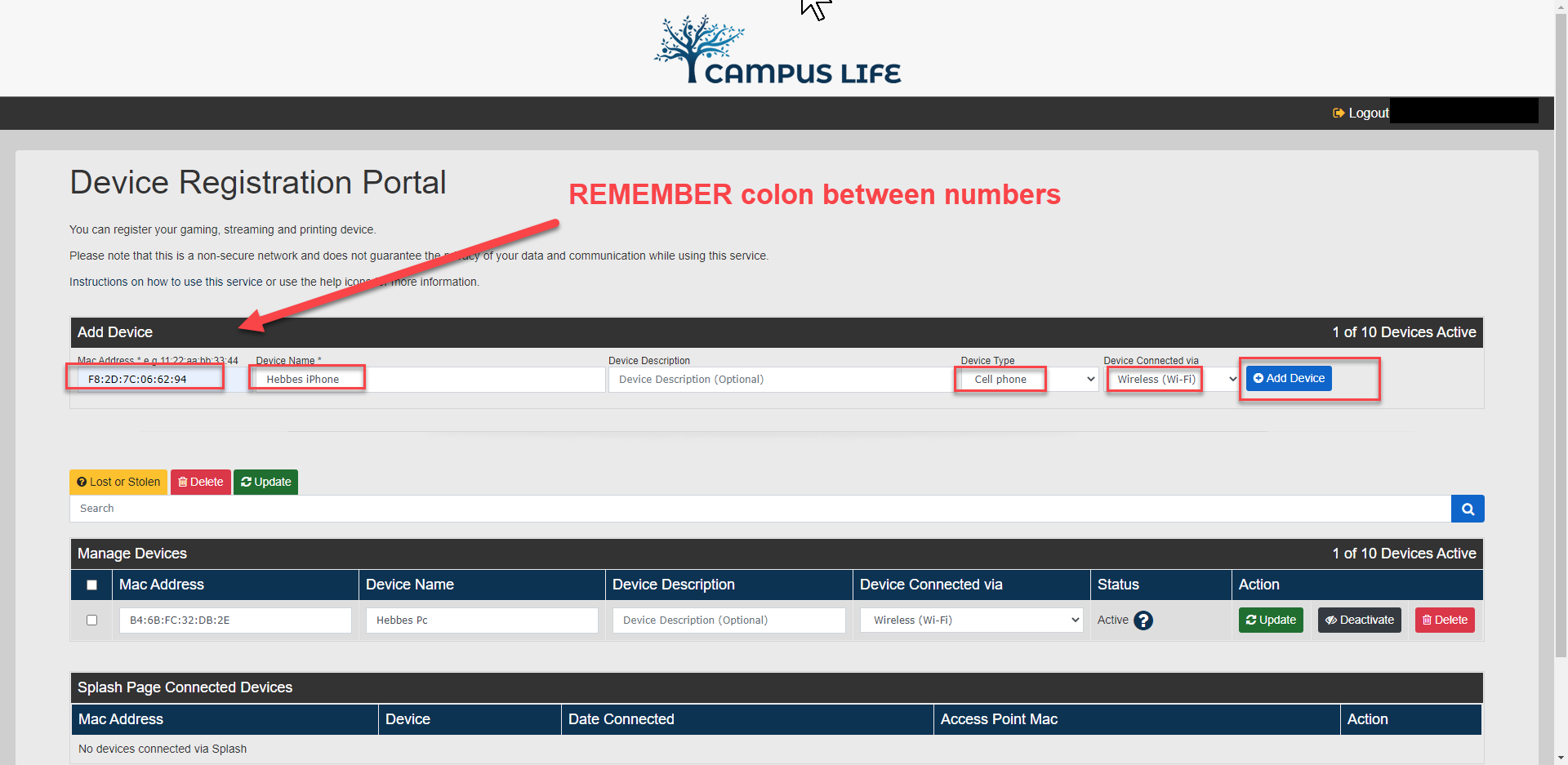
After registration, the phone shows up in Manage Devices
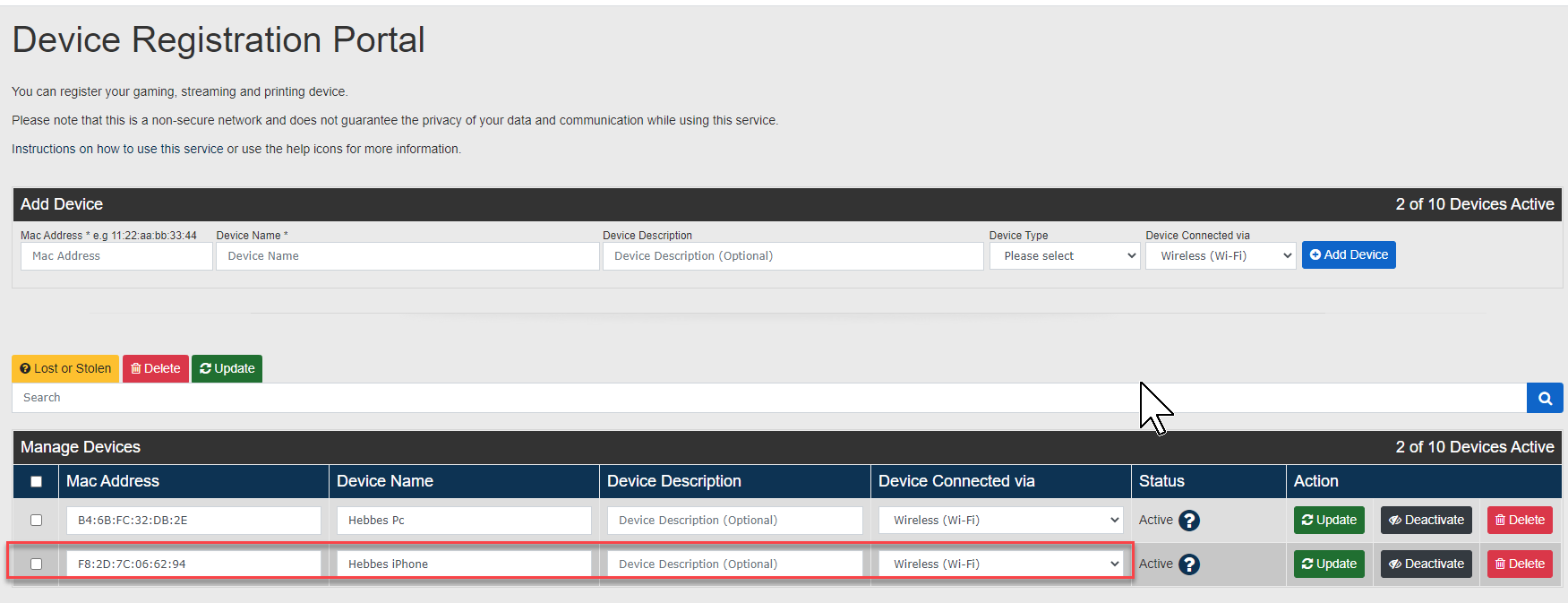
*A MAC-adresse is a unique physical address on your networkcard in your device. Its easy to find your mac-address
If you dont find how to find your mac-address here, google might have the solution.
_________________
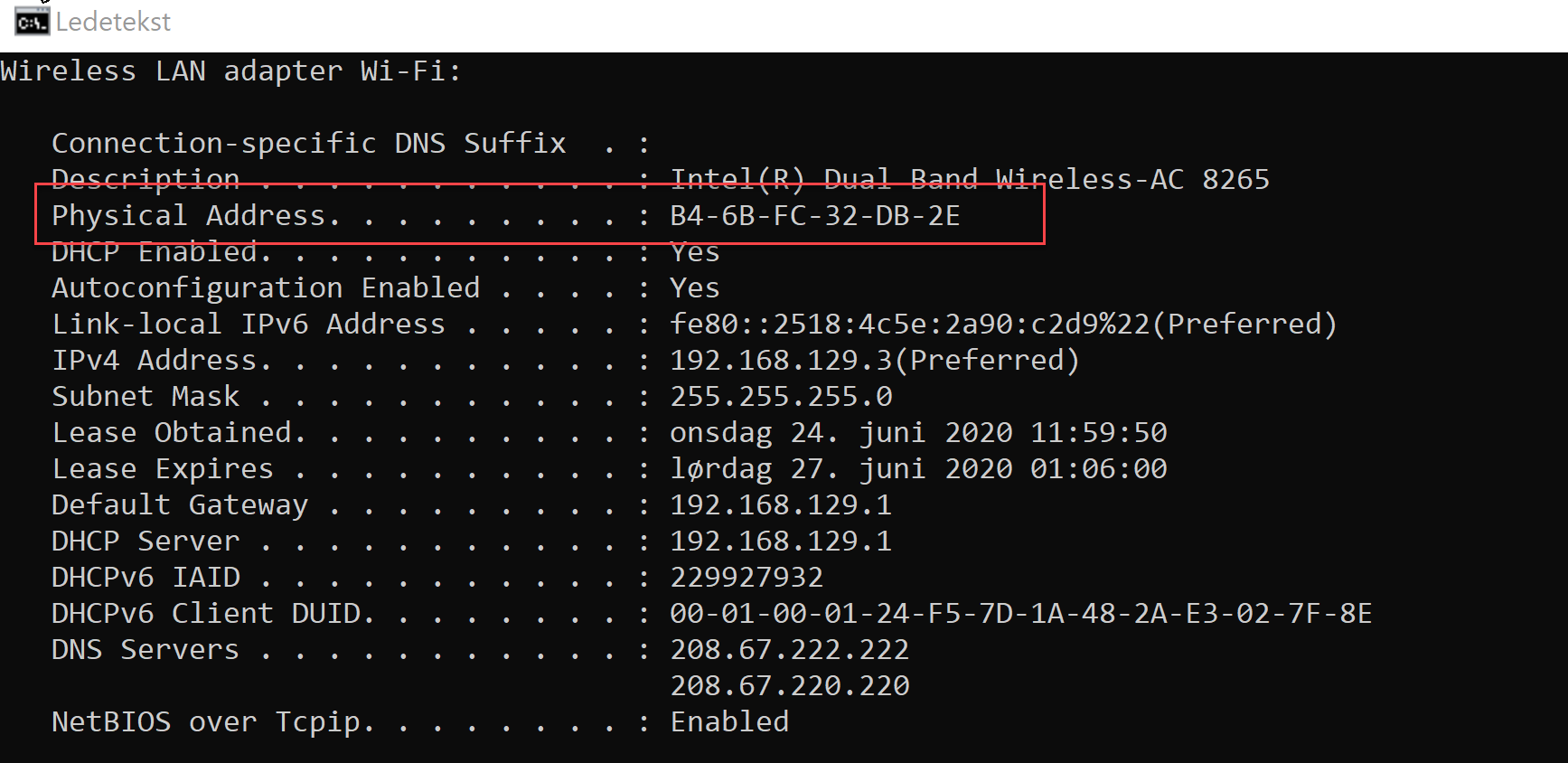
Find the MAC-address in Windows 10
- Type cmd in the search space and press enter
- Type ipconfig /all in the window and press enter
- The Mac-address to your device shows up after Physical Address
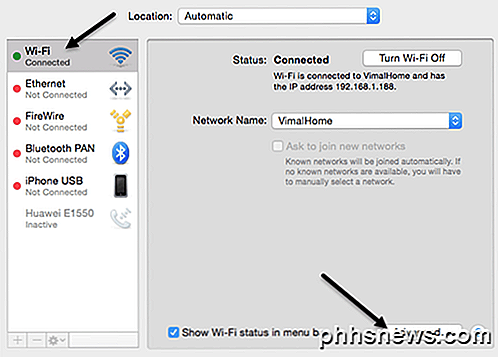
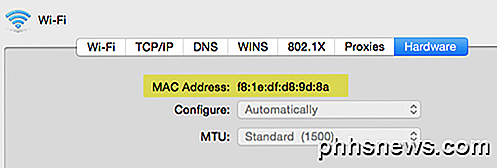
Find the MAC-address to Macbook
- System - Network
- Press the connection you want the MAC-address to, press Advanced down to the right and then Hardware
Find the MAC-address to your Android-phone
- In upper side of the phone, push the gear/cog sign to open properties
- Press "About the phone". The placement of the menu differs from model to model, but mostly on bottom of the list.
- You will find the addres under MAC-address for Wi-Fi
Find the MAC-address for iPhone
- Press Settings
- General
- About
- MAC-adress is located next to Wi-Fi-address
Find the MAC-adress Chromecast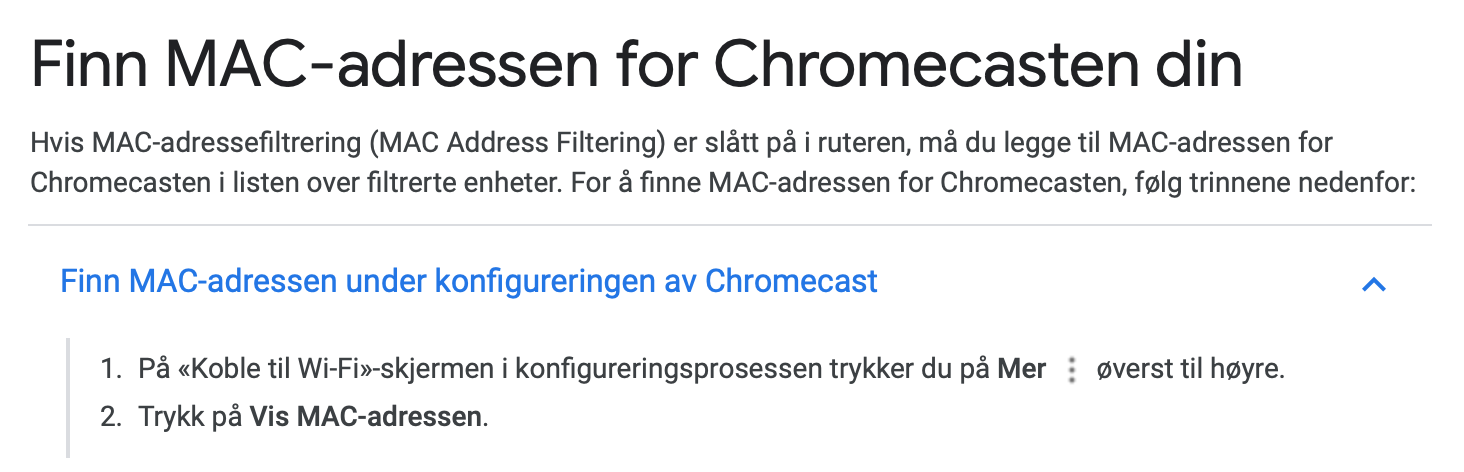
English

- Open Google Home-app.
- Press the Chromecast-device - Settings.
- Scroll to bottom to find the MAC-address.
Problems connecting Playstation consoles to the wifi?
This link should offer a solution to this. Try it out!